Average household income levels can be used in a Keyword Search campaign to further narrow down your audience.
- This feature is hidden in the LOCATIONS tab inside CAMPAIGN SETTINGS
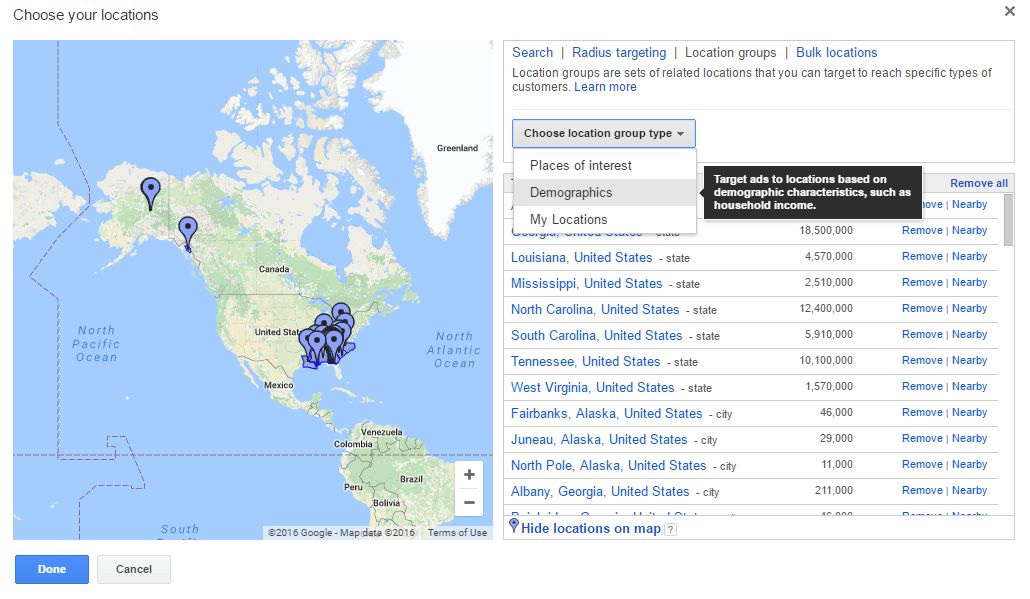
2. Click On +LOCATIONS > Location Groups > Choose location group type > Demographics.
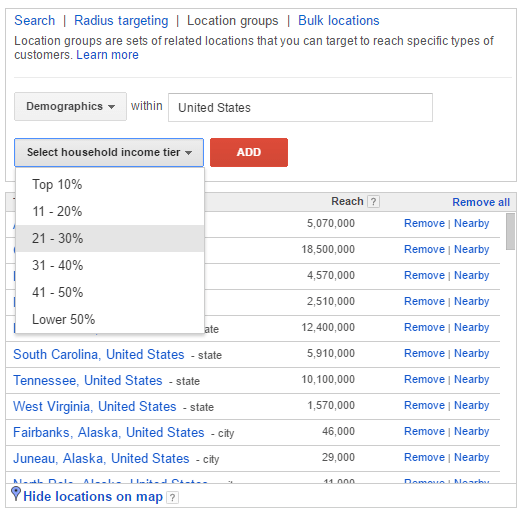
3. Select the % you would wish to target.
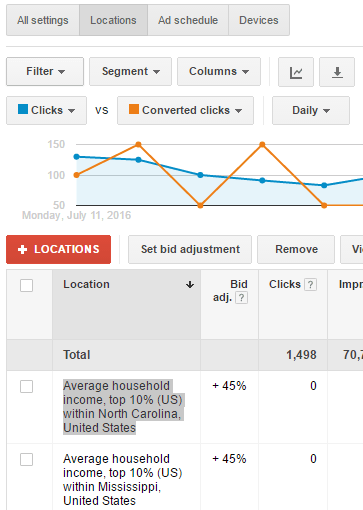
4. Apply bid modifier to the income tiers you just created. (If you have premium products you would like to target rich customers, then use a strong negative number for the lower 50% of the tier and increase the other tiers based on how “premium” you expect your customers to be.
Recommendation: I would recommend adding Negative and Positive bid modifiers separately. A/B Negative Bid modifiers effects on the campaigns prior to adding Positive Bid modifiers would make optimization much easier.
Remember: The income tiers are in a “OR” relationship with other locations. This means if you are targeting two cities: Los Angeles and San Francisco, and you set your tier targeting to California, you are actually targeting the entire state’s income tier.
 Paid Search School